 Fast by Flow7
See your fast as a dial.
A calm fasting guide that shows each stage of a fast in its own color, the time it arrives, and when you finish, without pretending a phone can measure what happens inside you.
Coming soon to the App Store
For iPhone with iOS 17 or later. The Apple Watch app needs watchOS 10 or later.
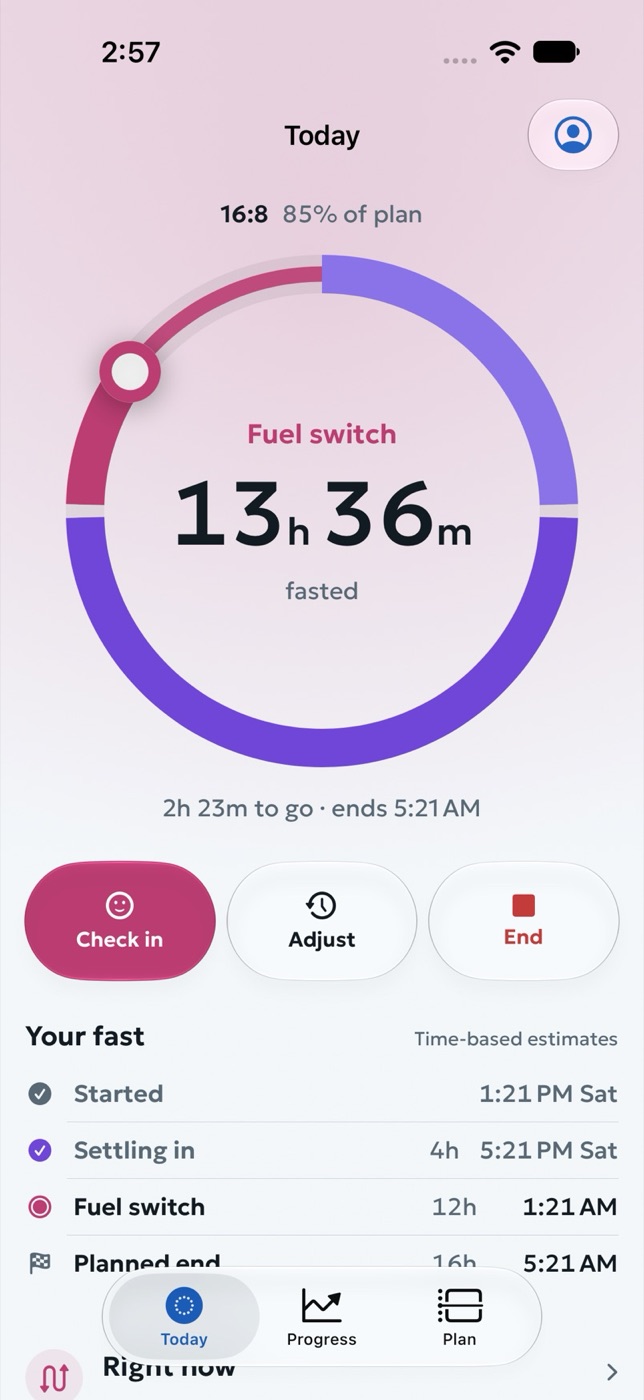
16:8 85% of plan
Fuel switch
13 hours 36 minutes
fasted
2h 23m to go · ends 5:21 AM
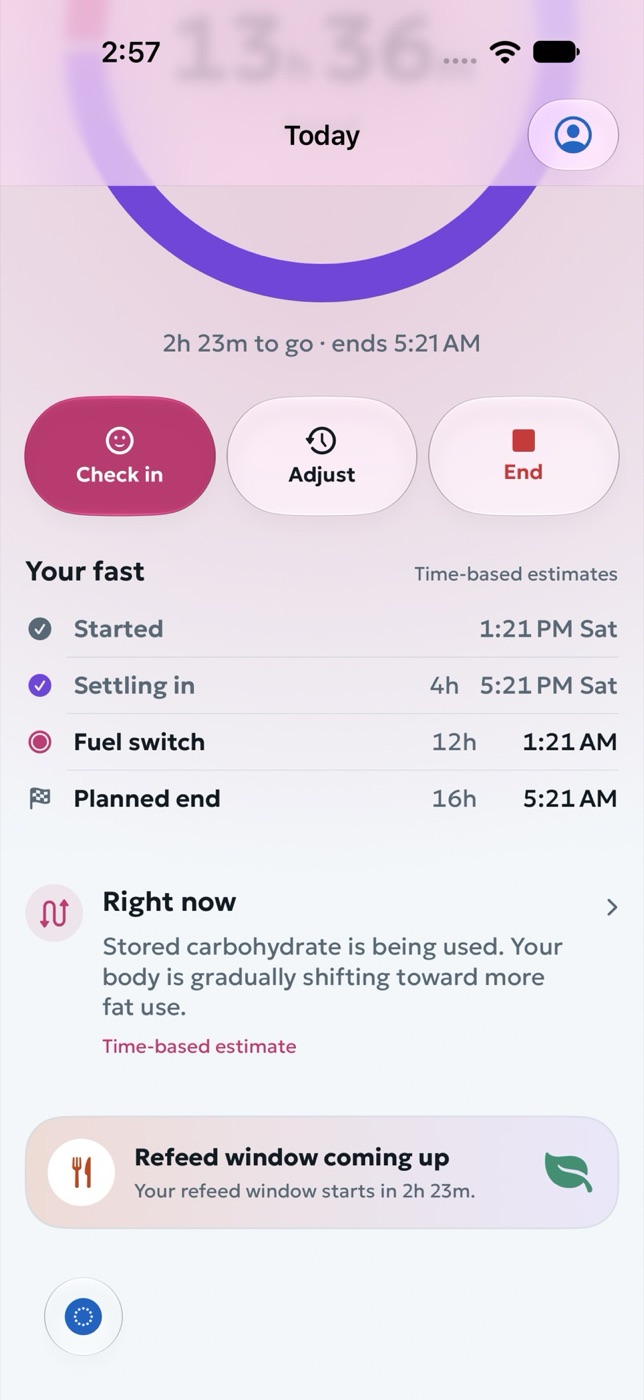
Your fast
Time-based estimates
The dial divides a fast where fuel use typically shifts. Follow the stages from the first hour, and what Fast does along the way.
-
0h Fed state
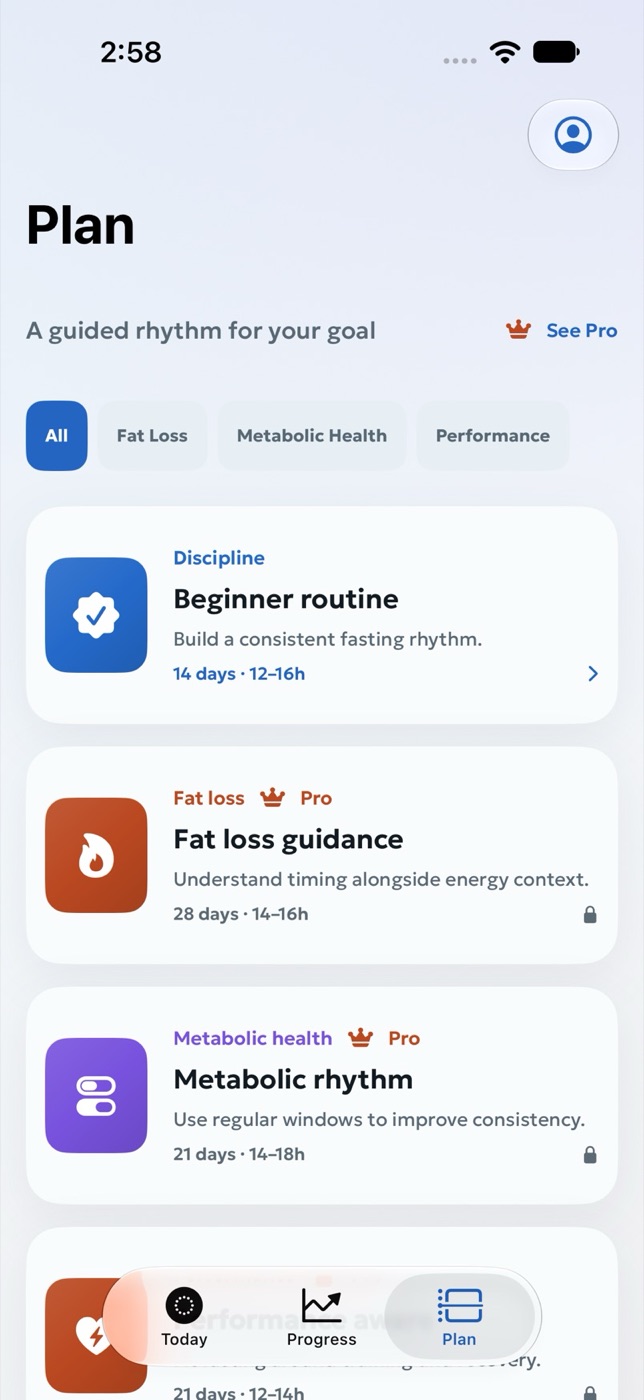
Start a fast your way
Start a familiar window or set your own, from 12 hours to supervised extended fasts. Programs give your fasting a rhythm for consistency, fat loss, metabolic health, performance, or learning.
-
4h Settling in
One number, one sentence
Your fast fills the dial through each stage in its own color: settling in, the fuel switch, fat burn, the deep fast. Drag along it to see when a stage arrives and what time you finish.
-
12h Fuel switch
Every stage on the clock
Your fast lists each stage with the time it arrives. Stage education explains what is likely happening right now, labeled as a time-based estimate, and a gentle note tells you when your refeed window begins.
-
18h Fat burn
Body context from Apple Health
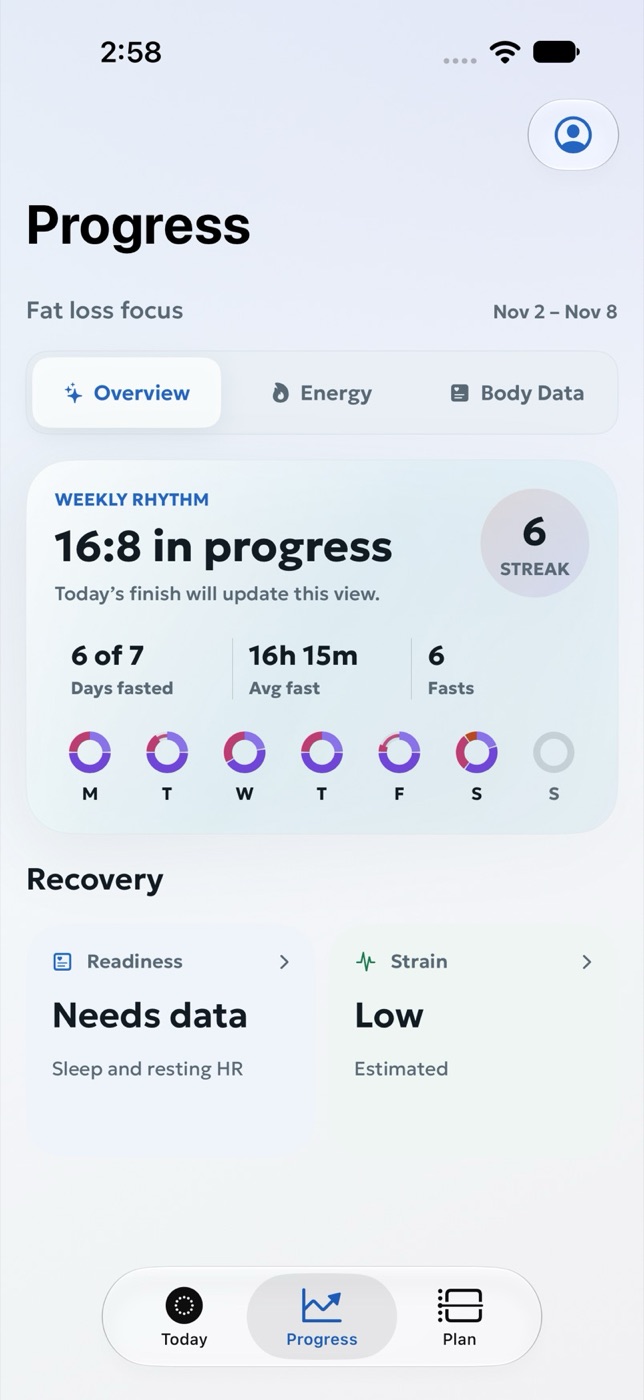
If you allow it, Fast reads Apple Health to personalize readiness, strain, energy, and safety prompts, each labeled as measured, derived, or estimated. When data is missing, insights say what they need. Fast only reads Apple Health, and that data stays on your iPhone.
-
24h Deep fast
Longer fasts, with care
From 24 hours, Fast shows supervision and refeed guidance, and Shortcuts open the app before starting a fast that long, so the safety context is in view. Extended fasting should be medically supervised, especially with medications, health conditions, low body weight, recent rapid weight loss, or concerning symptoms.
The same ring, wherever you look.
Today, the widgets, the Live Activity, and Apple Watch with its complications all draw the same dial, so a glance tells you where your fast stands.
-
Apple Watch
The dial and your elapsed time on your wrist, with complications for your watch face.
-
Widgets
Home Screen and Lock Screen widgets show your fast without opening the app.
-
Live Activities
For shorter fasts, a Live Activity keeps your fast on the Lock Screen while it runs.
Planned end
Your fast stays on your iPhone.
There is no account. Your fasts, check-ins, and Apple Health data stay on your iPhone and are never sent to Flow7.
Coming soon to the App Store
Fast by Flow7 offers general wellness education. It does not diagnose, treat, prescribe, or directly measure autophagy.